
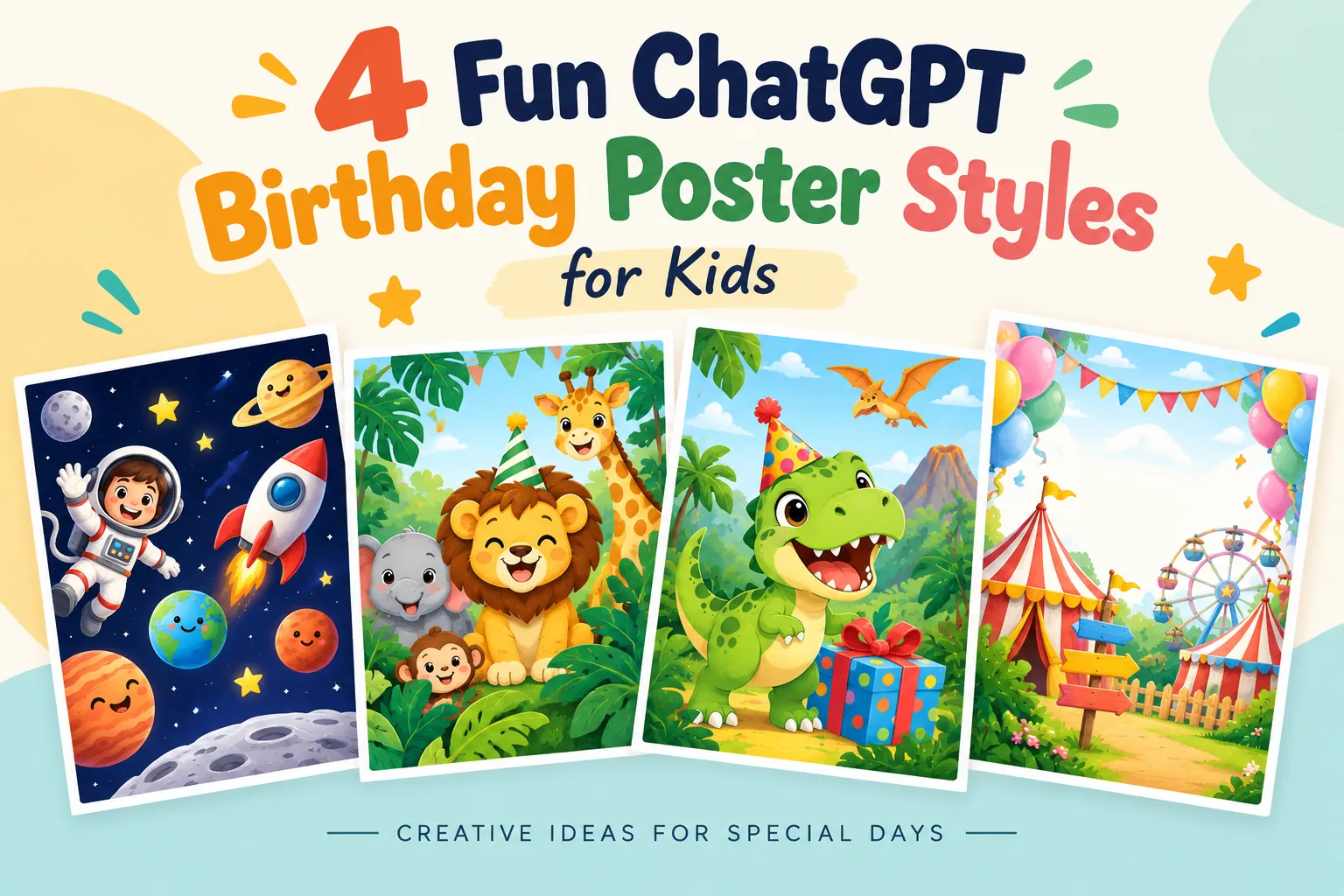
Planning a birthday party usually means juggling a guest list, a venue, and a cake order, all while the invitations sit at the bottom of your to-do list. That’s exactly where these ChatGPT birthday poster prompts come in. Feed one into an AI image generator and you’ll get a vibrant, print-ready invitation built around your child’s actual name, age, and party details, no design software required.
Each prompt below is built for a different mood, from jungle animals to outer space. Copy one, swap in your details, and you’re done.
Why These Prompts Work So Well
Here’s the thing: most AI-generated party invites look either generic or slightly off. Text gets garbled, characters look stiff, and the layout ignores basic hierarchy.
The prompts in this collection avoid that by being specific. They tell the AI exactly what to feature at the top, what belongs in the center, and where the party details go. That structure is what separates a poster that looks like a screensaver from one you’d actually print and hand out.
The visual styles range across playful 2D animation, cute vector illustration, and atmospheric space scenes. Bold typography pairs with cheerful palettes and friendly character designs, so the finished poster reads clearly even from across a classroom bulletin board.
Built for Real Use, Not Just Screenshots
Every layout keeps the essential details (date, time, venue, RSVP contact) visually separated from the decorative elements. That’s a small thing, but it’s the difference between a poster people glance at and one they actually read.
Where You Can Use These Designs
You’re not limited to printing these out and calling it done. The same posters work across several formats:
- Digital invitations sent via WhatsApp for quick RSVPs
- Custom printed cards for school friends and family members
- Pinterest mood boards focused on modern children’s party planning
Pick the format that fits your event, then adjust the prompt’s aspect ratio or resolution notes accordingly if your generator supports it.
The 4 ChatGPT Poster Prompts (Copy, Customize, Generate)
Copy the text below and swap in your child’s name, age, party date, time, venue, and RSVP contact. That’s it.
Prompt 1: Jungle Safari
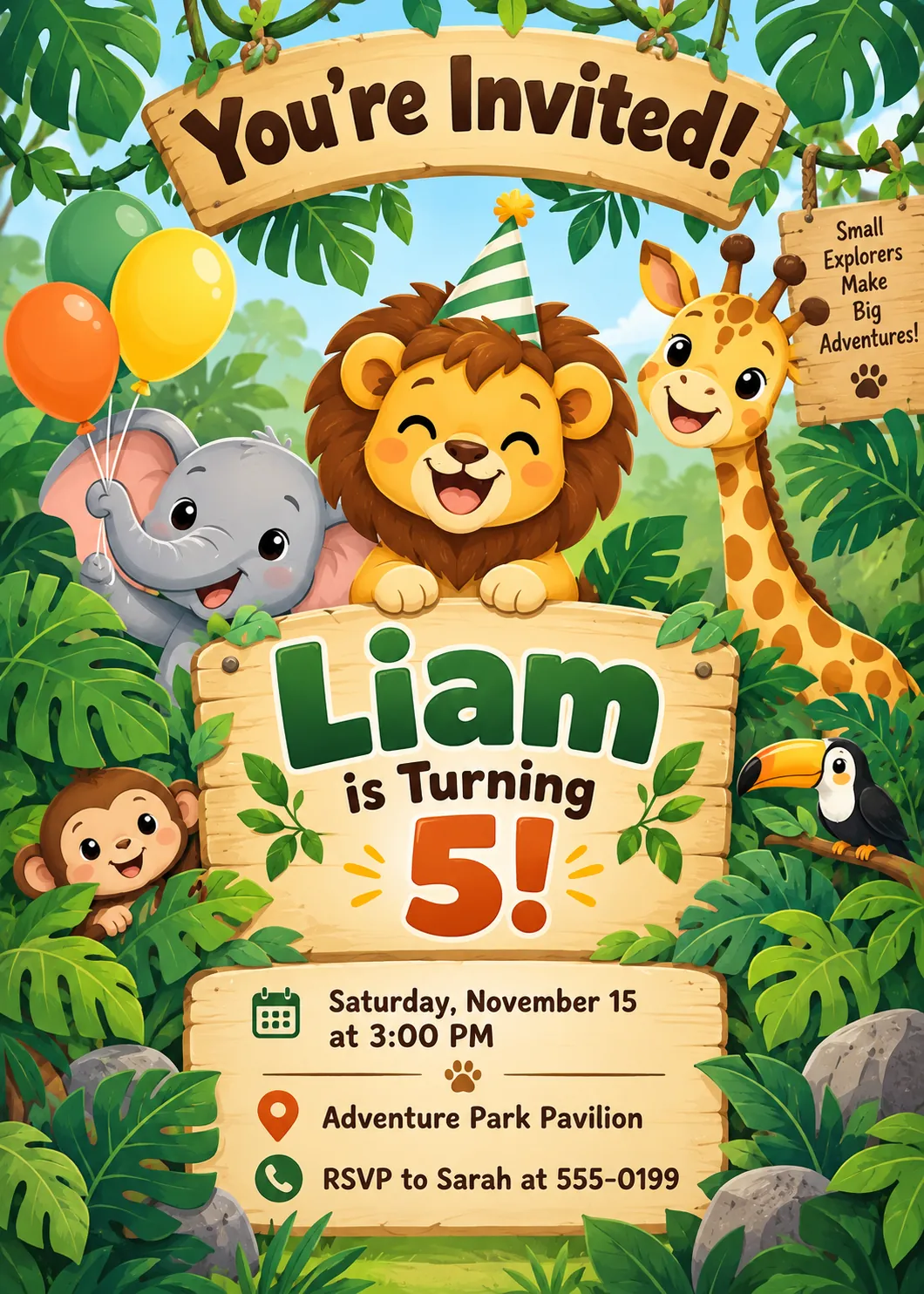
Create a vertical kids’ birthday party invitation poster in a playful vector illustration style. The theme is a cute jungle safari. At the top, place bold, curved text that reads “You’re Invited!”. Feature friendly baby jungle animals, including a smiling lion wearing a party hat, a baby elephant holding balloons, and a curious giraffe framed by lush green monstera leaves. In the center, display clear, bold text: “Liam is Turning 5!”. Below that, neatly arrange the details: “Saturday, November 15 at 3:00 PM”, “Adventure Park Pavilion”, and “RSVP to Sarah at 555-0199”. Use a bright, cheerful color palette with greens, yellows, and warm earth tones.
Prompt 2: Outer Space Adventure
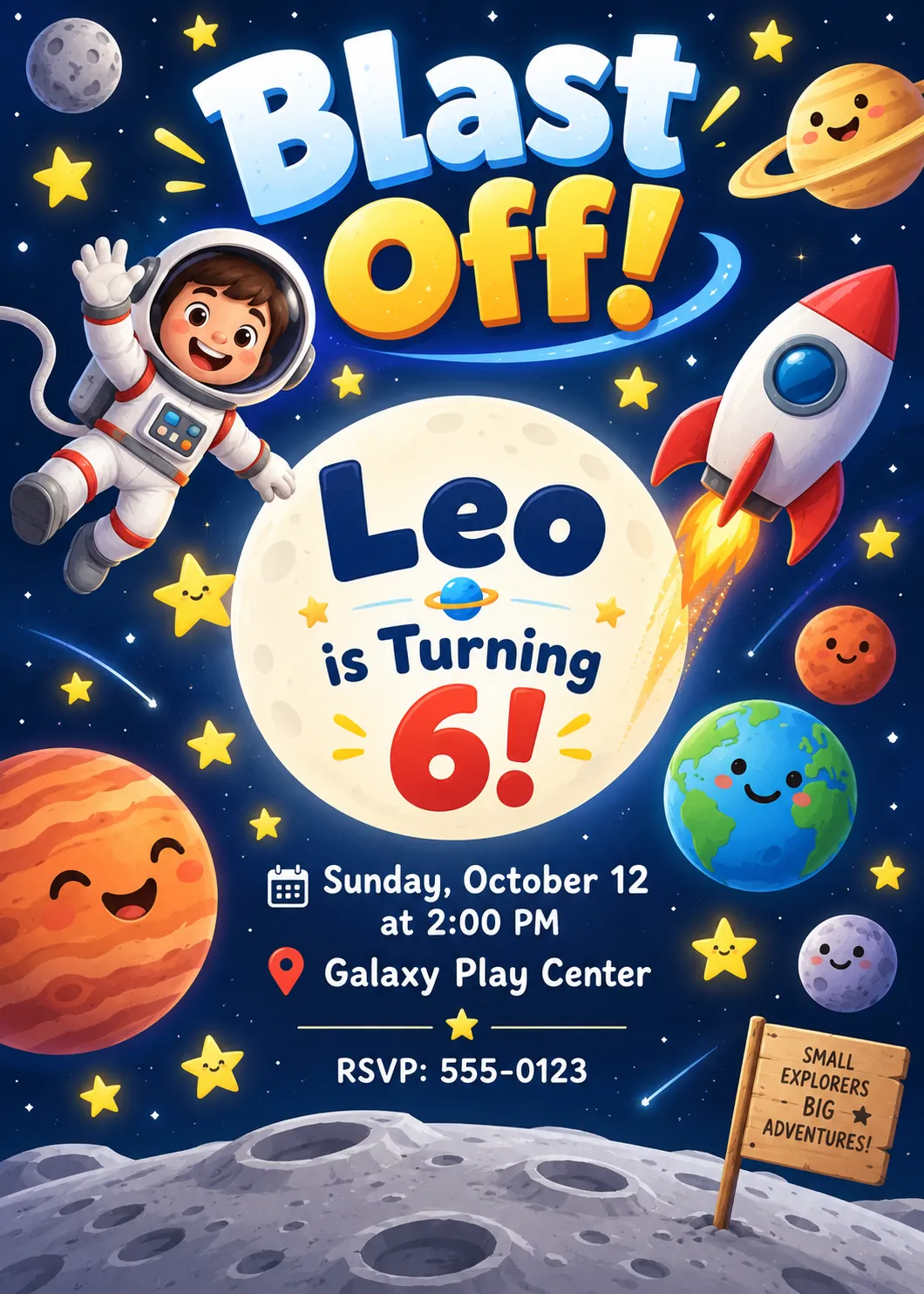
Create a colorful vertical invitation poster for a child’s birthday party with an outer space theme. At the top, feature large, playful cosmic lettering that reads “Blast Off!”. Illustrate a friendly cartoon astronaut floating alongside a rocket ship, smiling planets, and glowing yellow stars against a deep navy blue background. In the center, clearly display the text: “Leo is Turning 6!”. Beneath the title, include neat, easy to read text: “Sunday, October 12 at 2:00 PM”, “Galaxy Play Center”, and “RSVP: 555-0123”. Ensure all text is sharp, legible, and properly centered.
Prompt 3: Dinosaur Kingdom
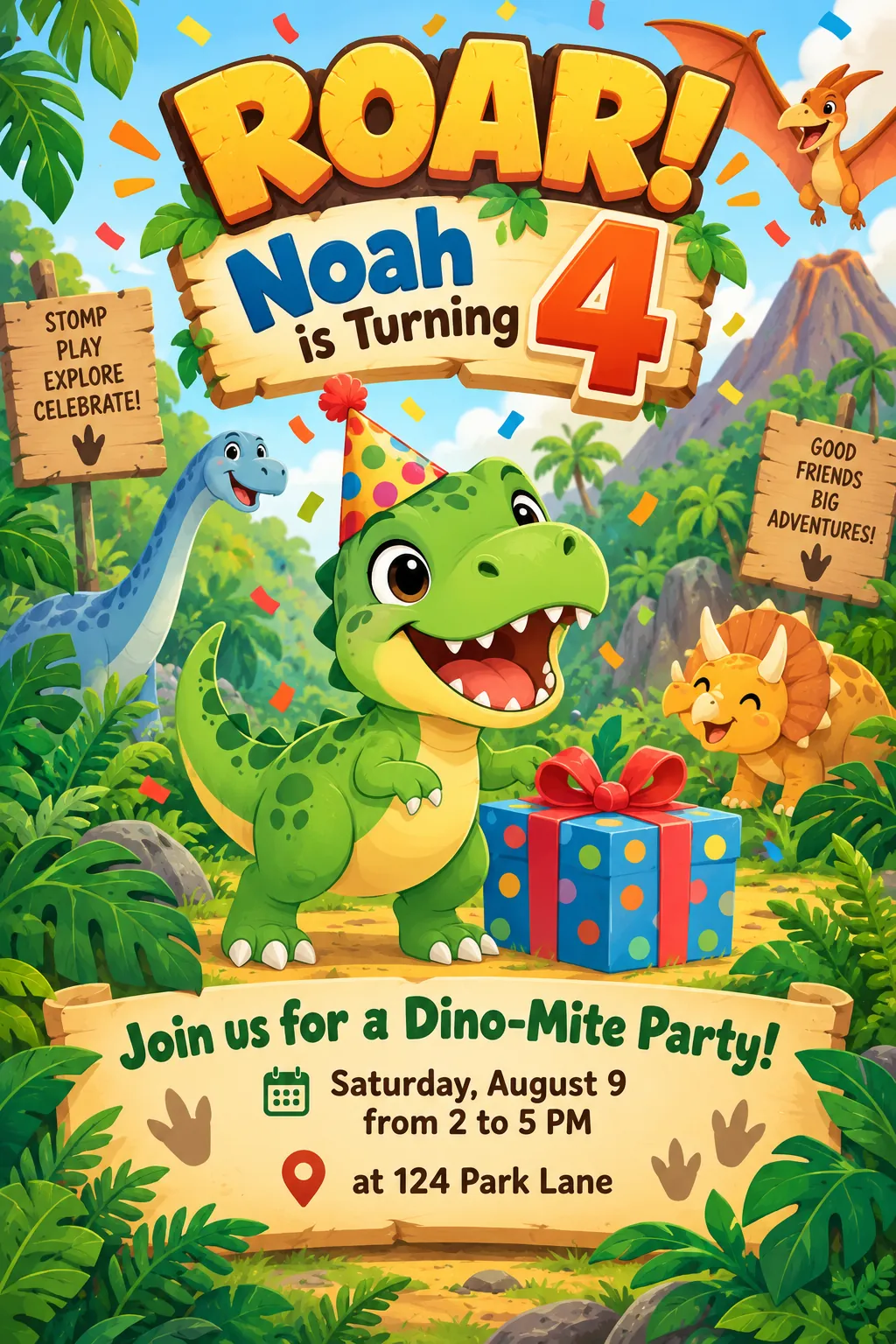
Create a fun, vibrant kids’ birthday invitation poster in a 2D animation style. The theme is friendly dinosaurs. Feature a smiling baby T-Rex wearing a festive party hat standing next to a wrapped present, surrounded by jungle ferns and floating confetti. Across the top, display bold, playful typography that reads “Roar! Noah is Turning 4”. Add a clean banner in the lower half with the text: “Join us for a Dino-Mite Party! Saturday, August 9 from 2 to 5 PM at 124 Park Lane”. The overall aesthetic should be warm, colorful, and inviting.
Prompt 4: Blank Template (For Adding Text Yourself Later)
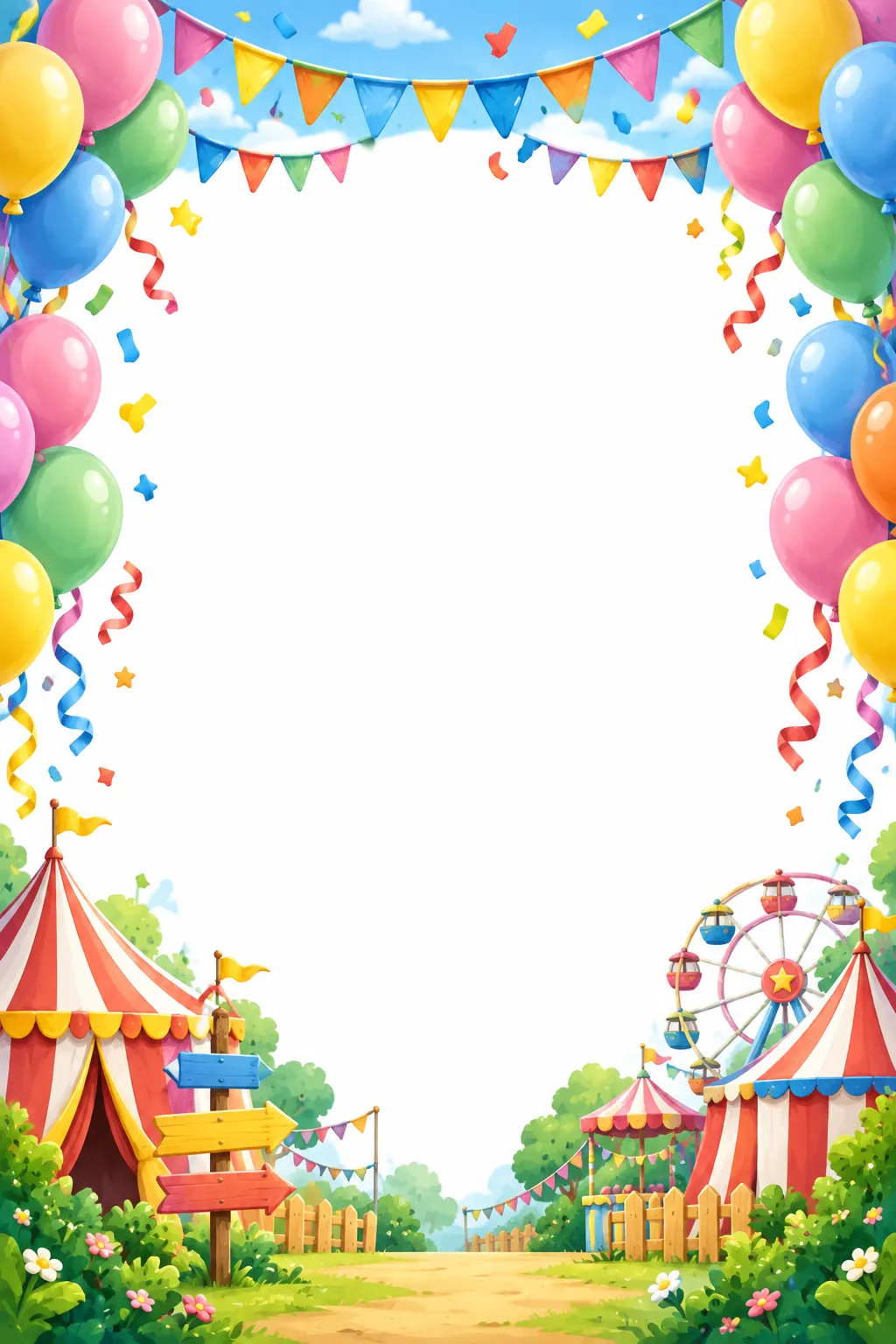
Create a vertical kids’ birthday party invitation poster background, carnival and fair theme. Illustrate a colorful border made of pastel balloons, party bunting, confetti, and circus tents in the background. Leave the entire center area completely blank, flat, and solid white with no text, so custom text can be added later. Use a bright, joyful color palette with soft lighting and a clean digital art style.
What to Do If the Text Comes Out Wrong
AI image generators can still stumble on precise spelling, especially with long addresses or less common names. If your poster renders with a typo baked into the artwork, don’t waste generations trying to force a fix.
Go straight to Prompt 4, the blank template. It hands you a fully decorated background with a clean white center. Drop that into a tool like Canva and add your own typography on top. You get full control over spelling, font size, and spacing, and you still keep the hand-illustrated border.
This two-step approach (illustration first, text second) is quietly one of the most reliable workflows for kids’ party design right now.
Quick Tips Before You Generate
- Keep names short in the prompt. Long names or nicknames with unusual spelling are more likely to render incorrectly.
- Round times to the clock face. “3:00 PM” generates more reliably than “3:15 PM” in most models.
- Generate a few variations. Even the same prompt produces different layouts each run, so pick the cleanest one.
- Match the theme to the child’s interests. A dinosaur fan will engage with Prompt 3 far more than a generic balloon design.
For more AI prompt collections organized by theme, check out our full prompt library.
Wrapping Up
A great birthday invitation shouldn’t take a design degree or a weekend of tinkering. Pick the theme that fits your child, copy the matching prompt, swap in the details, and you’ll have a poster ready to send or print within minutes. And if the text glitches, Prompt 4 has you covered every time.