Aesthetic Yamaha MT15 Rider Portrait
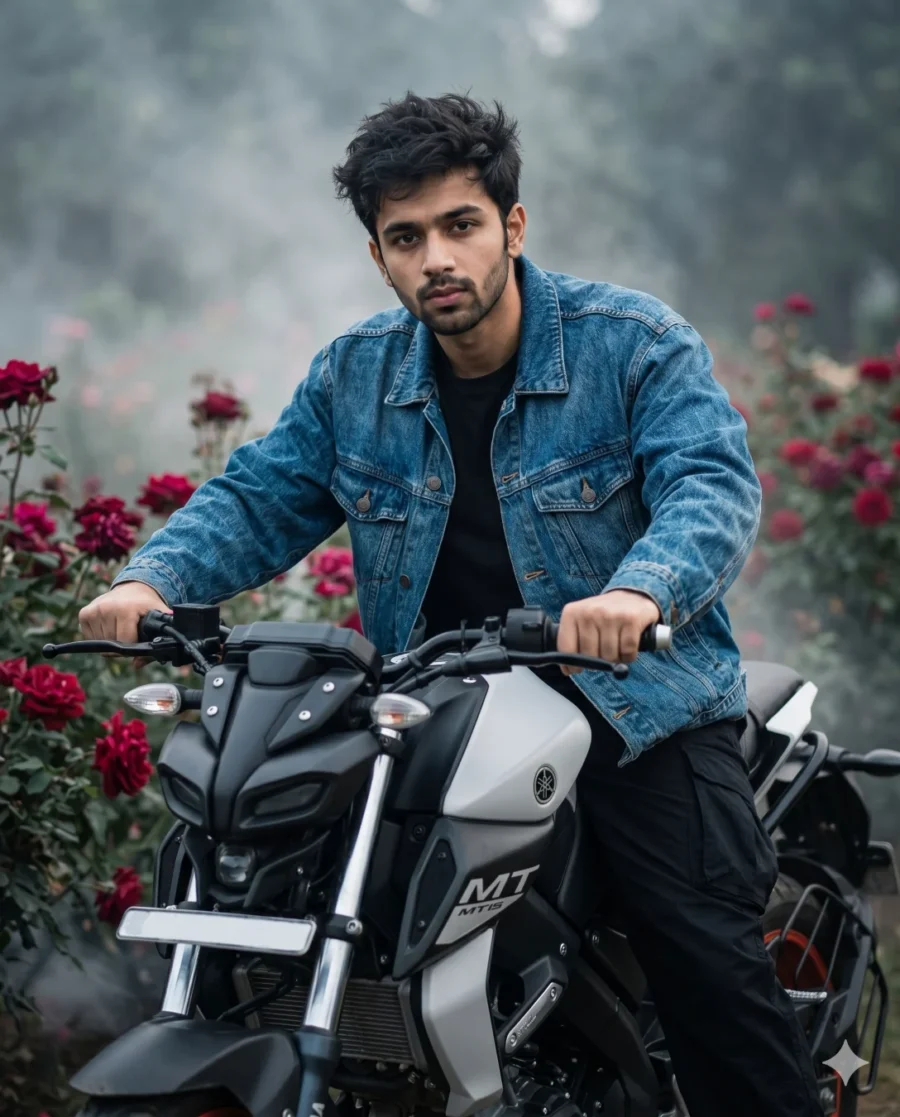
Achieve a Flawless Editorial Look with this Gemini Bike Prompt
Generating a high-end editorial image is effortless when you apply this gemini bike prompt to your workflow. This setup delivers a striking street-style fashion portrait tailored for a sleek aesthetic. You can instantly achieve a professional magazine look without needing complex photography gear. The result is a highly shareable visual ready for your digital feed.
The visual strength of this generation lies in its dramatic contrast. The scene balances the aggressive lines of a Yamaha MT15 motorcycle against a soft background of deep crimson roses. Low-lying fog and directional ambient lighting create a heavy, moody atmosphere. This specific lighting catches the metallic edges of the bike and highlights the rich texture of the denim jacket. The crisp foreground focus and smooth atmospheric blur push the subject right toward the viewer for maximum impact.
- Update your Instagram DP with a high-contrast automotive lifestyle shot.
- Create an eye-catching YouTube community post graphic to announce a new motorcycle vlog.
- Design a standout WhatsApp profile picture that highlights your personal style and love for riding.
The rich color grading and cinematic depth make this style incredibly versatile for modern digital creators. Copy the text below and swap in your own reference photo to see yourself in the rider’s seat.
Pro Tip: The term “cinematic” frequently pushes AI generators to underexpose subjects for dramatic effect. This deep shadow is part of the intended aesthetic. If the facial details become too dark, add the phrase “bright soft rim lighting on face” to your prompt. You can also lift the shadows easily in any basic mobile photo editing app before posting.
Frequently Asked Questions
Can I use this prompt in Midjourney or ChatGPT instead of Gemini?
Yes. While optimized for Google Gemini's reference engine, this prompt works great in Midjourney (just attach your photo and append --cref [image URL] to the end) or ChatGPT Plus.
Why did my generated face come out too dark?
High-contrast "cinematic" prompts naturally force AI generators to drop the shadows. If your face gets lost in the dark, add the exact phrase "bright soft rim lighting on subject's face" to the very end of the prompt.