
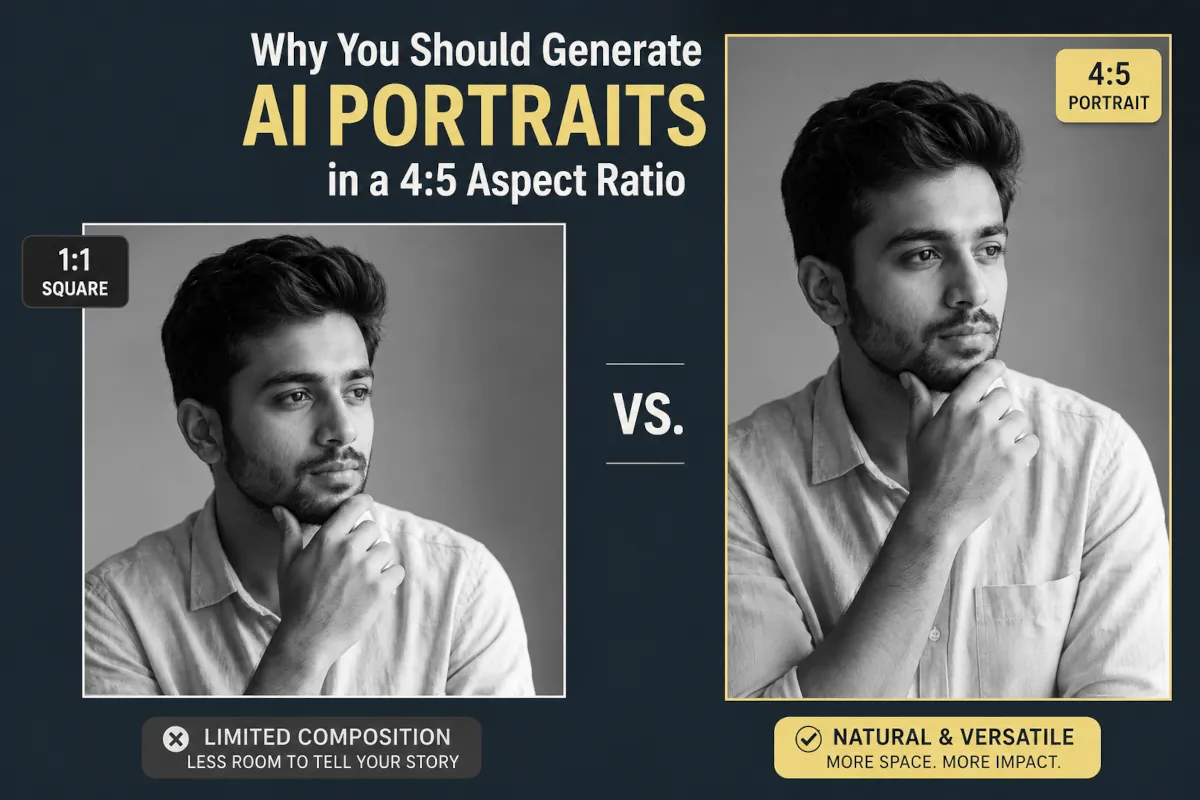
If you are still generating AI portraits in the default 1:1 square or 16:9 cinematic landscape, you are losing the attention game before it even begins.
When Midjourney v8.1 and Stable Diffusion 3.5 launched, most creators focused entirely on mastering prompt words and lighting tags. But after generating thousands of portraits, I realized the single most underrated lever for image impact is not the prompt text. It is the aspect ratio.
If your goal is to create striking, professional-grade AI portraits that command attention, you need to start using a 4:5 aspect ratio. Here is why.
1. It dominates the “Attention Economy” on mobile feeds
Most digital art is consumed on a smartphone. On platforms like Instagram, LinkedIn, and even Twitter/X, screen real estate is currency.
A 1:1 square is a compromise. A 16:9 landscape image looks like a tiny, unreadable strip on a mobile screen.
A 4:5 image, however, takes up the maximum allowable vertical real estate in a standard feed. Because it physically fills the screen, it forces the user to scroll longer just to get past it. That extra half-second of “dwell time” tells platform algorithms that your content is engaging, instantly boosting your organic reach.
2. It solves the “Dead Space” problem in AI anatomy
AI models are heavily trained on traditional photography standards. When you force an AI to generate a portrait in a ultra-tall 9:16 ratio (like a phone wallpaper), it often gets confused. It either stacks weird artifacts in the extra vertical space, stretches the torso awkwardly, or leaves massive amounts of empty, distracting background above the head.
The 4:5 ratio is the sweet spot. It provides just enough vertical room to capture a beautiful head-and-shoulders crop while maintaining tight, intentional framing on the face. It gives the subject presence without the claustrophobia of a tight square.
3. Real-world versatility (From pixels to print)
If you ever want to monetize your AI portraits, consistency matters. The 4:5 ratio is mathematically identical to an 8×10 inch print. The global standard for physical framing, art portfolios, and gallery displays.
Furthermore, if you need a profile picture, cropping a 4:5 vertical image into a 1:1 square is effortless because the subject is already centered and beautifully framed. You can’t do that with a landscape shot without completely ruining the composition.
How to use it right now
Stop letting the AI choose your dimensions. Add these settings to your next generation:
- Midjourney: Type
--ar 4:5at the very end of your prompt. This works perfectly in the current v8.1 release. - Stable Diffusion 3.5: Set your custom resolution to
896 x 1120. - Gemini (Nano Banana): Select the 4:5 aspect ratio directly from the native settings dropdown in Google AI Studio.
- DALL-E 3 (via ChatGPT): Explicitly state, “Create this image in a vertical 4:5 aspect ratio.”
The difference between a hobbyist and a professional creator often comes down to intentional composition. Make 4:5 your default, and watch how much better your portrait generations look.
Put It Into Practice
Ready to test this out? Head over to our Prompt Directory and pick a style. You can try our South Indian portrait prompts or a cinematic studio look. Just remember to apply your new 4:5 aspect ratio settings before you generate. Your mobile feed will thank you.