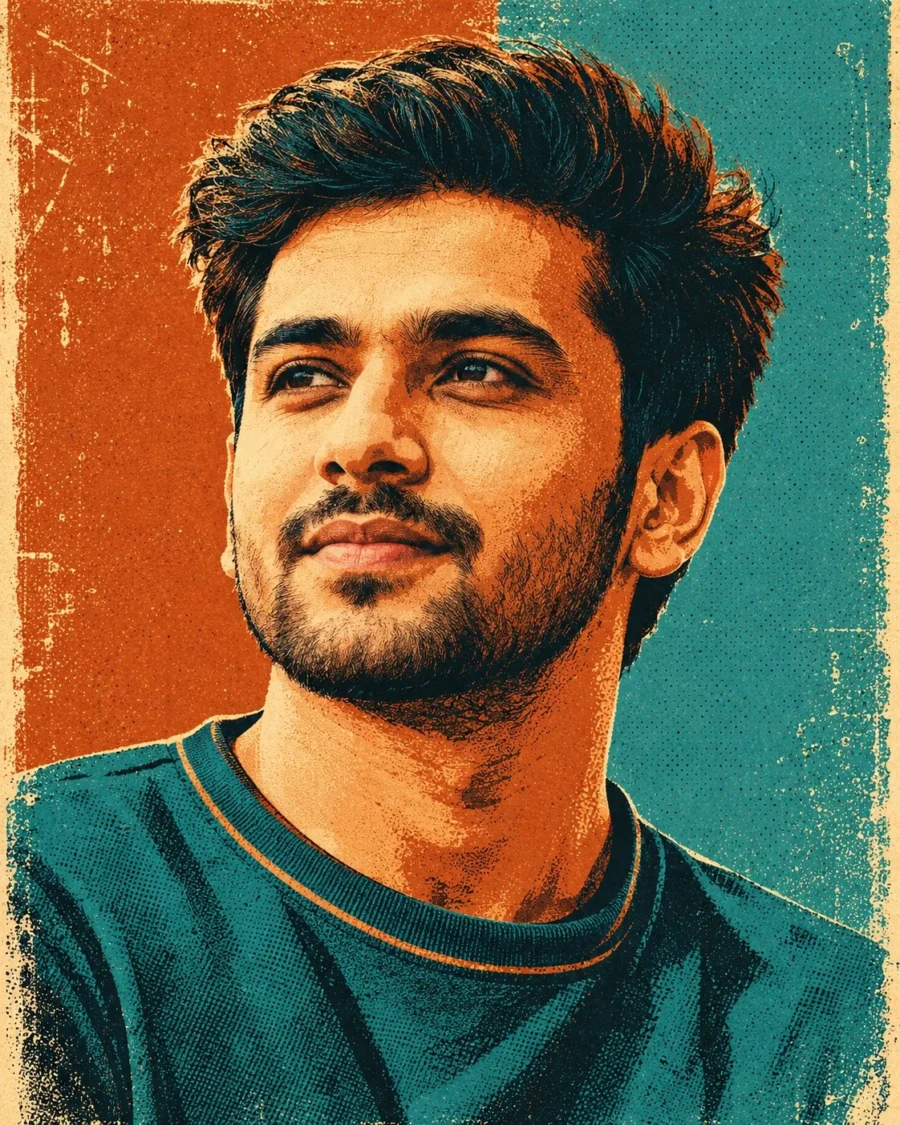
A classic pop-art-style portrait of the young man from the reference photo, captured from the shoulders up in a tight vertical composition. He gazes slightly to the left toward the distance, his chin lifted, wearing a calm, confident expression with his lips gently pressed together. He wears a simple teal garment, accented by thin, warm-toned lines near the neckline. The composition features a tight crop and a low-angle perspective set against a background of bold, screen-print-inspired colors dividing the surface into textured blocks of brownish-orange and turquoise. Dramatic, high-contrast shadows in deep teal and reddish-brown define his face and hair to evoke a haunting, retro editorial-illustration aesthetic.
Sharp graphic outlines and a limited color palette. It features a fine-grained texture, a distressed ink effect, and a coarse, halftone-like quality resembling a mid-century illustrative poster. Correct anatomy, clean contours, no additional text or logos, no distorted features. Aspect ratio 4:5.
Retro Poster Portrait with Screen-Print Color Blocks
Prompt
148 words
Use with
Graphic Contrast Mechanics for a Retro Poster Portrait
Graphic Contrast Mechanics for a Retro Poster Portrait
Generating an authentic retro poster portrait in modern AI generators requires tight control over graphic tonal separation and skin undertones. Neural rendering engines often blend high-contrast shadows into muddy skin artifacts when translating facial likeness into screen-printed graphic art. This prompt architecture enforces clean vector contours and low-angle framing to maintain facial bone structure across dual-tone color transitions. The resulting render isolates graphic shadows without compromising authentic South Asian facial characteristics.
A simulated 85mm portrait focal length flattens facial distortion while maintaining a compressed depth of field. Hard directional key lighting casts crisp, dual-tone shadow geometry that separates the neckline from flat graphic color blocks. Crisp graphic contouring keeps fine textured details sharp against coarse halftone grain. This structured approach preserves the subtle weave of handloom Matka silk and minimal Zari piping without introducing digital color noise.
Modify this graphic illustration style by replacing these specific tokens:
- Replace ‘simple teal garment’ with ‘mustard-yellow handloom Khadi kurta’ to introduce warm earthy tones.
- Swap ‘thin, warm-toned lines near the neckline’ for ‘subtle antique bronze collar pin and raw silk piping’ to enhance textile definition.
- Change ‘textured blocks of brownish-orange and turquoise’ to ‘textured blocks of terracotta red and deep indigo’ to balance the chromatic mood.
Upload a sharp shoulders-up reference photo taken at eye level under flat, diffused lighting for reliable facial mapping. Avoid harsh overhead shadows and wide-angle selfie distortion to prevent structural warping during posterization. Strong dual-tone contrast can occasionally produce jagged edge artifacts around the jawline. Add the phrase ‘crisp clean vector line work’ to smooth transition boundaries and enforce clean graphic edges.
Frequently Asked Questions
How do you prevent facial distortion when applying halftone poster textures?
Ensure your prompt places coarse halftone textures strictly in the background layer. Adding 'smooth facial shading with clean ink boundaries' keeps screen-print grain on the surroundings while keeping delicate facial contours sharp, natural, and recognizable.
Which AI generator renders screen-print color blocks most effectively?
Midjourney handles distressed ink and lithograph grain with superior texture depth using low stylize values. ChatGPT and Gemini excel at preserving facial likeness from reference photos, provided you specify flat graphic backgrounds without gradient lighting.
Related Prompts
View All in Collection