
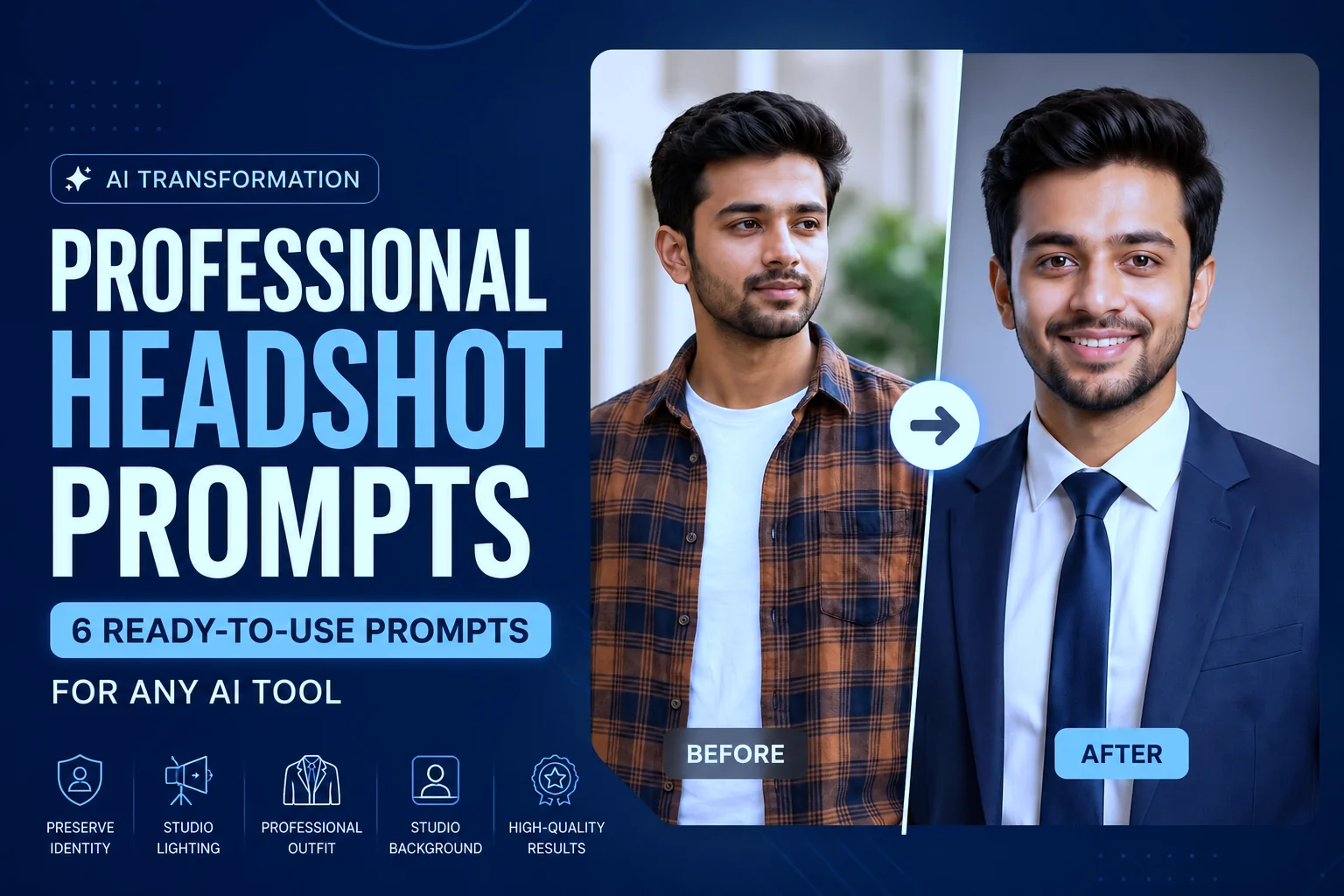
You know that photo. The one on your phone from a friend’s wedding, cropped down so it’s just your face, that you’ve been using as your LinkedIn picture for two years. It works, technically. But it’s not doing you any favors when a client or hiring manager scrolls past it.
Professional headshot prompts solve this without a studio, a photographer, or a wardrobe change. You feed an AI tool the right instructions, and a casual photo becomes something that actually looks like it belongs on a company “About Us” page. That’s the appeal here: control over your professional image, on your own timeline, at basically no cost.
Below you’ll find six prompt variations for different professional contexts, the reasoning behind each instruction, and notes on which AI tools handle this kind of edit best right now.
What Makes a Professional Headshot Prompt Actually Work
Here’s the thing most people get wrong:
they ask an AI to “make this look professional” and wonder why the output looks plastic, or barely different from the original. Vague prompts get vague results.
A prompt that delivers gives the model specific, layered instructions. What to fix (lighting, skin, sharpness). What to replace (the background). What to add (professional attire). Each instruction targets one visual element, and stacking enough of these together gives the model a real blueprint instead of a guess.
There’s a second piece that matters just as much, and it’s easy to miss: telling the model what to keep. Without that instruction, some tools will quietly redraw your face into a slightly different, more “average” version of itself. Good prompts specify both what changes and what stays untouched.
The Base Prompt: Identity-Preserving Professional Headshot
Start with this as your foundation. It’s built to hand off to any capable AI image editor:
Transform this casual portrait into a polished professional business headshot. Preserve the exact facial identity, facial structure, facial proportions, body proportions, physique, height, skin tone, age, hairstyle, natural expression, and all distinctive physical characteristics of the subject. Replace the background with a clean, modern studio backdrop. Illuminate the subject with soft directional studio lighting that creates natural depth and flattering facial contours. Subtly refine skin texture while maintaining realistic pores and natural details, enhance sharpness around the eyes, and dress the subject in an elegant, well-tailored professional outfit appropriate for corporate headshots, such as a modern blazer over a crisp dress shirt or an equivalent business ensemble that suits the subject naturally. Maintain a photorealistic appearance with accurate colors, realistic lighting, and lifelike textures. Produce a high-resolution image suitable for LinkedIn profiles, company websites, resumes, executive portraits, and professional branding.
Prompt result:
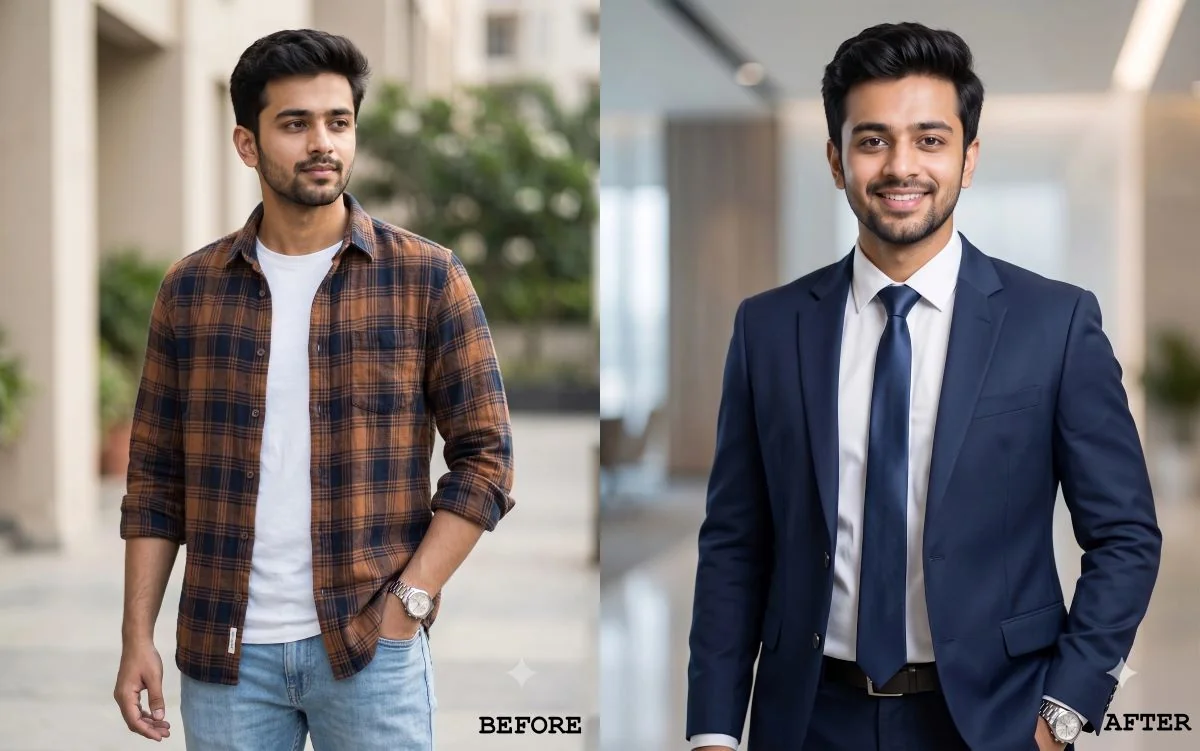
Notice the identity clause up front. That’s the piece most generic prompts skip, and it’s the difference between a headshot that still looks like you and one that looks like a stranger wearing your outfit.
Now, here’s where it gets useful. That base prompt is a starting point, not a one-size-fits-all. Different roles call for different lighting, backdrops, and attire. Below are six variations built on the same identity-preserving foundation.
6 Professional Headshot Prompt Variations
1. Corporate Executive
Transform this casual portrait into a polished corporate executive headshot. Preserve the exact facial identity, facial structure, facial proportions, body proportions, physique, height, skin tone, age, hairstyle, and all distinctive physical characteristics of the subject. Replace the background with a clean neutral gray or deep navy studio backdrop. Use soft, even professional studio lighting with natural skin tones and subtle facial definition. Dress the subject in a perfectly tailored charcoal or navy business suit with a crisp white dress shirt and a refined silk tie, creating a timeless executive appearance. Maintain a confident, composed expression, natural posture, and realistic proportions. Produce a photorealistic, high-end corporate portrait with exceptional detail, sharp focus, and a premium studio photography aesthetic.
2. LinkedIn Profile
Transform this casual photo into a clean, professional LinkedIn headshot. Preserve the exact facial identity, facial structure, facial proportions, body proportions, physique, height, skin tone, age, hairstyle, and all distinctive physical characteristics of the subject. Use a plain white or soft gray studio background with soft, natural lighting that flatters the face while avoiding harsh shadows. Dress the subject in a timeless, well-tailored professional outfit, such as a navy or charcoal blazer over a crisp white or light blue collared shirt, ensuring the clothing looks natural and appropriate for a corporate LinkedIn profile. Maintain direct eye contact with the camera, a relaxed posture, and a subtle, approachable smile. Create a realistic, high-resolution studio portrait with sharp facial detail, natural skin texture, accurate colors, and a polished yet authentic appearance.
3. Startup Founder
Transform this casual portrait into a modern startup founder headshot. Preserve the exact facial identity, facial structure, facial proportions, body proportions, physique, height, skin tone, age, hairstyle, and all distinctive physical characteristics of the subject. Use a softly blurred modern office or coworking space as the background. Apply natural-looking daylight instead of harsh studio lighting. Dress the subject in a well-fitted smart casual outfit, such as a tailored navy or charcoal blazer over a premium crew-neck T-shirt or an open-collar Oxford shirt, with no tie. Keep the expression warm, confident, and approachable rather than overly formal. Preserve natural skin texture and realistic details throughout.
4. Creative Professional
Transform this casual portrait into a creative professional headshot. Preserve the exact facial identity, facial structure, facial proportions, body proportions, physique, height, skin tone, age, hairstyle, and all distinctive physical characteristics of the subject. Use a warm-toned or softly textured background, such as a brick wall or a muted color backdrop, instead of a plain studio background. Apply soft, slightly directional lighting with gentle shadows to create natural depth. Dress the subject in a refined, modern professional outfit that suits their personality, such as a well-tailored blazer over a premium knit top or an elegant smart-casual ensemble, while avoiding generic corporate styling. Keep the expression relaxed, confident, and approachable. Produce a high-end editorial-quality portrait with natural skin texture, realistic colors, and subtle depth of field.
5. Remote Worker
Transform this casual portrait into a professional headshot suited for a remote or hybrid work profile. Preserve the exact facial identity, facial structure, facial proportions, body proportions, physique, height, skin tone, age, hairstyle, and all distinctive physical characteristics of the subject. Use a subtly blurred home office or clean, neutral indoor background. Apply soft, natural window-style lighting with realistic shadows and gentle catchlights. Dress the subject in a well-fitted business casual outfit, such as a tailored blazer over a crisp shirt or an elegant knit top, appropriate for professional video calls. Maintain a friendly, confident, camera-ready expression. Produce a natural, photorealistic result with high facial detail and realistic skin texture.
6. Medical Professional
Transform this casual portrait into a professional medical or healthcare headshot. Preserve the exact facial identity, facial structure, facial proportions, body proportions, physique, height, skin tone, age, hairstyle, and all distinctive physical characteristics of the subject. Use a clean white or soft light-blue studio background with bright, even, high-key lighting that conveys professionalism, trust, and approachability. Dress the subject in a well-tailored white medical coat over an elegant light-blue shirt or blouse with a subtle tie or professional blouse as appropriate, or refined business-professional attire if a medical coat is not suitable. Maintain a calm, confident, and approachable expression. Ensure a natural, realistic appearance with sharp focus, accurate skin texture, and a polished studio-quality finish.
Professional Headshot Prompts With Different AI Tools
You don’t need a perfect starting photo, but the tool you pick matters almost as much as the prompt. Here’s how the main options currently handle this kind of edit:
| Tool | What to know |
|---|---|
| ChatGPT (GPT Image) | Edits by regenerating the image based on your description rather than adjusting pixels directly, so it’s good at following detailed instructions but can let your exact likeness drift, especially on heavy edits. Naming what to keep unchanged, as in the prompts above, matters here more than on other tools. |
| Gemini (Nano Banana) | Currently holds facial likeness more consistently across edits than most alternatives, which makes it a strong pick specifically for headshots where your face needs to stay recognizable. |
| Midjourney | Works differently than the others. Instead of pasting a prompt onto your photo directly, upload your photo as a character reference and describe the scene, adjusting the character weight setting to control how closely the result sticks to your original face. |
| Flux-based tools | Generally strong at context-aware edits that keep the surrounding scene and identity intact, worth trying if your first result from another tool loses too much detail. |
A quick practical note: run the prompt more than once if the first result feels off. Small variations in output are normal, and a second or third pass often lands better than endlessly tweaking the wording.
Matching the Prompt to Where You’ll Use the Photo
| Goal | Prompt Adjustment |
|---|---|
| White or light gray background, simple blazer or collared shirt | |
| Company website | Neutral gray studio backdrop, consistent lighting across the team |
| Resume or job application | Soft lighting, neutral expression, minimal background distraction |
| Creative portfolio | Warm tones, textured background, more individual styling |
| Personal brand or social media | Natural smile, shallower depth of field, slightly softer lighting |
Frequently Asked Questions
Will the AI change my face?
It can, if you don’t tell it not to. That’s why every prompt above includes an explicit instruction to preserve facial identity, structure, and skin tone. Even with that instruction, expect small variations, not a different person.
Which AI tool gives the most realistic headshot?
It depends on your photo and what you’re prioritizing. If keeping your exact likeness matters most, Gemini currently has an edge. If you need very specific styling followed precisely, ChatGPT tends to handle detailed instructions well, as long as you spell out what to preserve.
Do I need a high-quality starting photo?
Not a professional one, but a clear one helps. A photo where your face is evenly lit, not in shadow, and taken with some space around your shoulders gives the model much more to work with than a tight, poorly lit crop.
Can I use these prompts for team photos?
Yes. Using the same prompt across everyone on a team keeps the lighting, background, and styling consistent, which is exactly what a company “About Us” page needs
Are AI Headshots Actually Acceptable on LinkedIn?
Short answer: Yes, as long as they still look like you.
An AI headshot can look polished and professional without becoming misleading. If someone meets you in a video call or in person, they should be able to recognize you immediately.
The difference between a great AI headshot and an awkward one usually comes down to two things:
- Likeness: Avoid changing your facial features, age, skin tone, or overall appearance so much that the image no longer represents you.
- Natural editing: Subtle improvements to lighting, background, and clothing usually look professional. Heavy skin smoothing, unrealistic eye shine, or excessive beauty filters often make the image feel artificial.
Most recruiters and clients are far more interested in whether your photo looks professional and authentic than whether studio lighting or a background was created with AI. That’s why every prompt in this guide prioritizes preserving your facial identity over dramatic transformations.
Where This Fits Into Your Workflow
For more on building a full set of AI image prompts for different use cases, see [internal link placeholder: prompt library page]. If you’re curious how professional photographers approach headshot lighting and composition in the first place, which is essentially what these prompts are trying to replicate, PetaPixel’s guide to headshot photography is a solid reference for what “good” actually looks like before you ever touch an AI tool.
Wrapping Up
Keep the base prompt as your starting point, then adjust the clothing, background, and lighting for your specific role. Small changes usually produce the most authentic-looking results, and once you land on a version that works, reuse it to keep your professional image consistent across LinkedIn, your resume, your company site, and everywhere else people will look you up.